Ship accessible designs, straight from Figma
Catch WCAG violations instantly - no context switching, no extra tools, no compliance headaches. Check contrast, sizes, and targets in seconds.
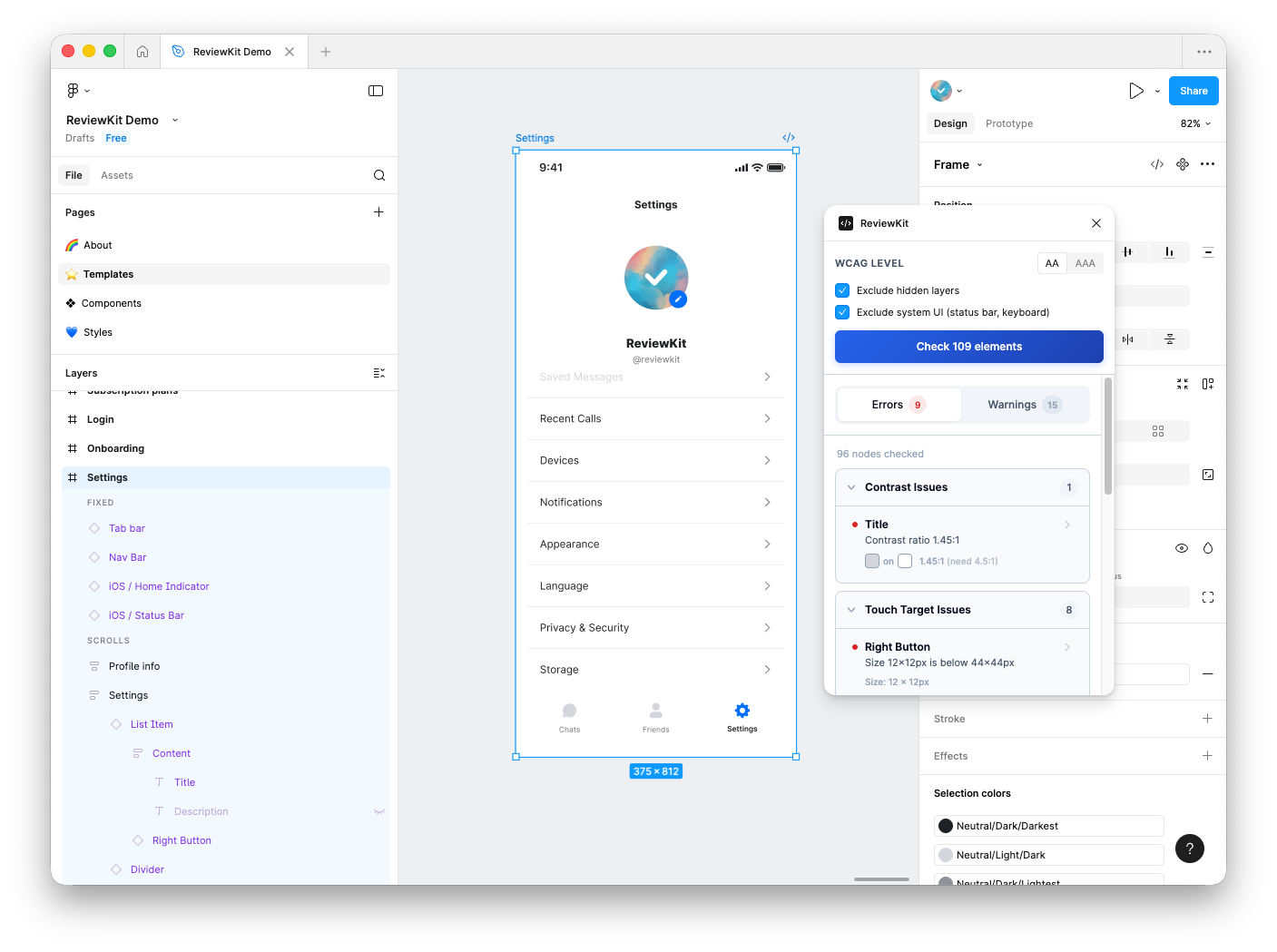
Four essential accessibility checks
Catch the most common WCAG violations before they make it to production. Each check is based on real accessibility guidelines.
Contrast Ratio
Automatically calculates text-to-background contrast using the WCAG 2.1 luminance formula. Flags any text that doesn't meet AA or AAA standards.
WCAG 1.4.3Text Size
Ensures all text meets the minimum 12px font size requirement for readability. Small text is one of the most common accessibility issues.
WCAG 1.4.4Touch Targets
Checks that interactive elements are at least 44x44 pixels. Small touch targets are frustrating for everyone, especially users with motor impairments.
WCAG 2.5.5Color-Only Indicators
Detects UI elements that may rely solely on color to convey information. Helps ensure your design works for colorblind users.
WCAG 1.4.1Up and running in 30 seconds
No configuration required. Just install and start checking your designs for accessibility issues.
Install the plugin
Get ReviewKit from the Figma Community. One click install, no account needed.
Select your frames
Choose the frames or components you want to check. Works with any selection size.
Run the checks
Click run and get instant results. Each issue links directly to the problem node.
Fix and iterate
Click any issue to navigate to it. Fix, re-run, and repeat until everything passes.
Built for Figma
ReviewKit is a native Figma plugin that integrates seamlessly into your existing design workflow.
Loved by designers
Join thousands of designers who use ReviewKit to build more accessible products.
"ReviewKit catches contrast issues I would have missed. It's become part of my design review checklist for every project."
"Finally, an accessibility tool that just works. No setup, no configuration, no friction. Install and go."
"The touch target checker alone has saved us from shipping buttons that were too small. Essential for mobile design."
Start designing accessibly today
ReviewKit is free, fast, and works right in Figma.